

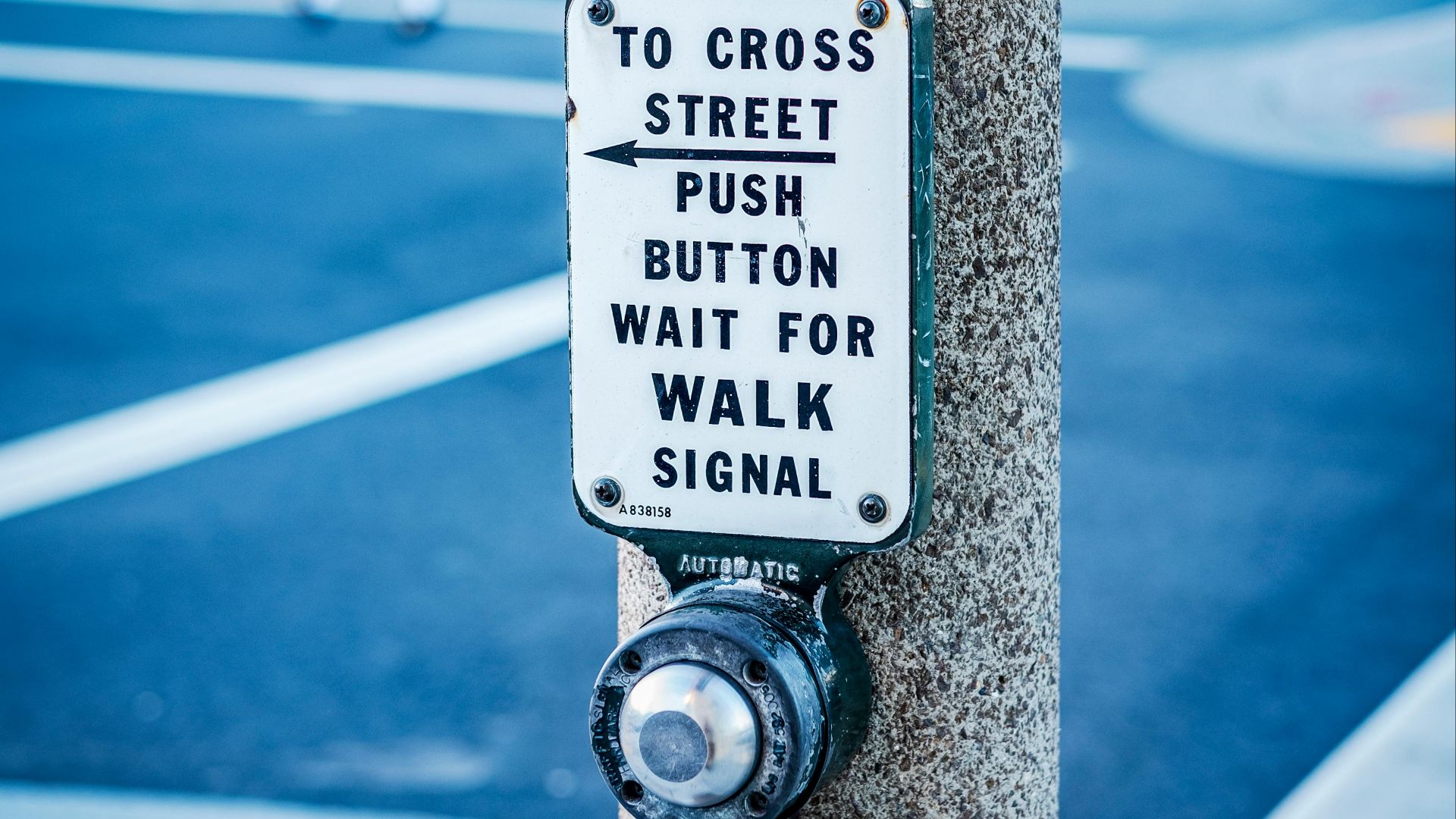
At some point, almost everyone has stood at a crosswalk, pressed the button once, decided it didn't register, and pressed it six more times in rapid succession. This is a remarkably universal human behavior, and it rests on an assumption that turns out to be only partially true: that the button does anything at all. The reality of how pedestrian crossing signals actually function is more layered and, depending on your tolerance for civic disillusionment, more interesting than most people expect.
The honest answer is that it depends entirely on where you are, what time it is, and when the infrastructure around you was last updated. Some buttons are fully functional and genuinely alter signal timing. Some are connected to accessibility systems but have no effect on the light itself. Some are physically disconnected and exist purely as objects, relics of an earlier traffic management era that nobody ever bothered to remove.
The Placebo Button Problem
New York City became the most documented case of non-functional crosswalk buttons after a 2004 New York Times investigation reported that roughly 2,500 of the city's pedestrian buttons, out of around 3,250 at the time, were no longer connected to anything. The city had shifted to computerized traffic management systems in the 1980s, which automated signal timing across intersections, and a significant portion of the buttons simply never got updated or removed. They remained in place, were pressed by millions of people daily, and produced no effect whatsoever on the lights above them.
New York is the most cited example, but transportation researchers have noted similar situations in cities across the country where signal infrastructure hasn't been systematically modernized. The Federal Highway Administration's Manual on Uniform Traffic Control Devices, which governs traffic signal standards nationally, does not require that pedestrian pushbuttons be installed at every intersection, but it does specify functional requirements for buttons that are installed. The gap between those specifications and what actually exists in aging urban infrastructure is, in many places, considerable.
Psychologists have a term for controls that give users a feeling of agency without actual effect: placebo buttons. Ellen Langer's research at Harvard on perceived control, published across several studies beginning in the 1970s, established that humans are strongly motivated to believe their actions influence outcomes, even when evidence to the contrary is readily available. The crosswalk button is an accidental real-world application of that research, and traffic engineers have known about it for decades without the knowledge becoming particularly widespread.
When They Actually Do Something
Outside of major urban centers running sophisticated adaptive signal systems, crosswalk buttons often do work, with a significant caveat about timing. During peak traffic hours at busy intersections, most modern signals run on predetermined cycles that don't require pedestrian input. The light will eventually change regardless of whether anyone pressed anything. Where the button earns its keep is during off-peak hours, overnight, or at intersections programmed to default to vehicle-priority timing until a pedestrian request is registered.
The FHWA guidelines specify that when a pedestrian pushbutton is installed, it should reduce the time a pedestrian waits, or extend the crossing interval to accommodate slower walkers, or both. Accessible Pedestrian Signals, which the Americans with Disabilities Act has driven significant adoption of since the ADA's passage in 1990, add audible tones, speech messages, and vibrating surfaces to communicate walk and don't-walk phases to people who are blind or have low vision. These systems are genuinely functional and represent a meaningful category of crosswalk button that does exactly what it's supposed to do.
Accessible Pedestrian Signal (APS) adoption has grown substantially across U.S. cities over the past decade, driven by federal ADA requirements (e.g., 2010 updates mandating audible signals at intersections) and legal settlements with disability advocates. These buttons typically require a locator tone to help users find them, a vibrotactile walk indicator built into the button housing, and speech output identifying the street name and crossing direction. Pressing them registers a pedestrian call that the signal system actually receives and responds to.
Why the Design Persists Anyway
Transportation engineers have generally been comfortable leaving non-functional buttons in place because removing them costs money and, counterintuitively, their presence seems to reduce pedestrian impatience. Studies on pedestrian behavior at signalized intersections have found that people who have something to press while waiting are less likely to jaywalk than those who have no interactive element at the crosswalk at all. The button transforms waiting from a passive experience into one that feels like participation, and that perception alone has measurable effects on behavior.
There's also a genuine transition period logic at play. Cities replacing old signal infrastructure do often restore button functionality as part of upgrades, meaning a button that was dormant for twenty years might quietly become operational again without any announcement. The installed hardware is already there, and reconnecting it during a broader system update is cheaper than installing new equipment.
What all of this adds up to is a piece of street furniture that means something different depending on where you're standing. Pressing it is sometimes an act of genuine communication with a traffic system, sometimes an accessibility interface, and sometimes just something to do with your hands while you wait for a light that was always going to change.